GTA, the time and activity management tool of the La Poste group, does not have its own web address. Access is through the MaBoxRH portal, hosted on maboxrh.laposte.fr, which creates recurring confusion among agents looking for a distinct “GTA” URL. Understanding this mechanism avoids most connection issues.
Virtual keyboard and password entry: the most common point of friction
The MaBoxRH authentication page uses a virtual keyboard for password entry. This security feature confuses some users, especially those accessing the portal from a mobile device or with a screen reader.
Entry works by clicking (or tapping) on each number displayed on the screen, one by one. The physical keyboard does not allow typing the password in this field. If no number responds to the click, the problem usually lies with the browser or a script blocker.
- Temporarily disable browser extensions (ad blockers, anti-trackers) that may prevent the virtual keyboard from loading.
- Ensure that JavaScript is enabled in the browser settings, as the virtual keyboard depends entirely on it.
- On mobile, prefer using the phone’s default browser rather than a browser embedded in a third-party app.
For visually impaired or blind agents, an audio version of the keyboard is available. You need to activate the “Enable sound” button located just before the keyboard, then use the tab key (not the arrows) to navigate through the numbers and hear them. Each number is confirmed with the Enter key.
Mastering the connection to gta extranet La Poste requires a good understanding of how the virtual keyboard works, which remains the primary obstacle reported by agents.
GTA La Poste connection URL: why typing the address in the bar matters
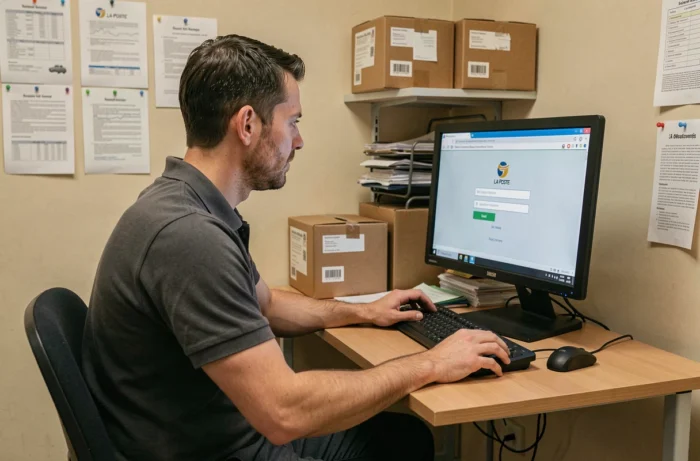
An internal directive from La Poste, effective since 2024, instructs agents to never access MaBoxRH via a search engine. The reason is concrete: sponsored pages or misleading results regularly appear before the legitimate site when typing “GTm extranet La Poste” or “GTA La Poste” into Google.
The only legitimate URL is maboxrh.laposte.fr. Any address that does not exactly match this domain should be considered suspicious, even if the page displays the group’s logo and an HR identifier field.
Create a reliable bookmark in three steps
The simplest method to no longer rely on a search engine is to save a bookmark. On a computer, access maboxrh.laposte.fr for the first time by manually entering the address in the browser’s bar, then add the page to your favorites.
On mobile, the same logic applies. On both Android and iOS, you can add a shortcut directly to the home screen. This shortcut opens the browser to the correct address without going through a search.
| Access Method | Phishing Risk | Reliability |
|---|---|---|
| Direct entry of maboxrh.laposte.fr | Very low | High |
| Saved favorite after manual entry | Very low | High |
| Google search “GTA La Poste” | Moderate to high | Variable |
| Link received by email or SMS | High | To be systematically avoided |
Password reset and lost HR identifier
The reset page is accessible from the MaBoxRH login screen. It requires the HR identifier, which is found on the payslip or the agent’s professional card.
Without the HR identifier, no online procedure can be completed. If this identifier is forgotten, going through the hierarchical manager or the nearby HR service is the only option. Technical support ([email protected]) handles technical difficulties, not requests related to personal information.
When the secret question blocks the process
The reset form may ask for a secret answer defined during the first login. If this answer has been forgotten or if the email address associated with the account is no longer accessible, a specific link “I forgot my secret answer or my email is inaccessible” allows switching to an alternative procedure.
This alternative procedure generally involves direct contact with the HR service. The processing time depends on the workload of the service, but the request cannot be expedited by technical support.

Connection errors related to the Smart Portal and the convergence of HR tools
Since 2024, La Poste has initiated a convergence between MaBoxRH, GTm Extranet, and the Smart Portal. This gradual merger has multiplied connection pathways and blurred the references for some agents.
Some internal links redirect to the Smart Portal, while others go directly to MaBoxRH. Both portals lead to the same GTA space, but the URLs differ. An agent attempting to access GTA via an old internal link from the Smart Portal may encounter an error page if that link has been disabled during the migration.
- If a page displays an error after redirection, clear the browser cache and try again by manually entering maboxrh.laposte.fr.
- Never click on a MaBoxRH or GTm Extranet link received by email or SMS, even if it appears to come from La Poste.
- If in doubt about the authenticity of a page, check the SSL certificate in the address bar (padlock) and confirm that the domain ends with laposte.fr.
The confusion between these portals remains the second most common reason for contacting technical support, after issues with the virtual keyboard. Consistently entering the full URL in the address bar eliminates this category of errors.