
A last-minute modified schedule, a forgotten temporary replacement in Philia, an untracked travel time: for ADMR sector managers, every data entry error in the tool impacts the pay of the workers and the compliance of social declarations. The Philia ADMR software centralizes the management of home interventions, but its logic of continuous updates conflicts with the requirement to provide a written monthly schedule to each employee.
Understanding where the most frequent errors occur, and especially how to defuse them, requires a methodical approach to the tool.
Traceability of travel times in Philia ADMR: a setting not to be neglected
Have you ever noticed that a worker reports a discrepancy between their declared kilometers and those on their payslip? In most cases, the problem arises from the scheduling settings, not the field.
Philia ADMR allows you to trace the times between interventions and the travel distances directly from the schedule. Some federations use this feature to secure the payment of travel times and anticipate potential URSSAF checks. The principle is simple: each intervention is geolocated by the beneficiary’s address, and the tool calculates the travel time between two successive interventions.
A common pitfall is confusing the beneficiary’s address with the actual intervention location. A beneficiary residing at one address but accompanied in an external facility generates an incorrect travel calculation. The correction involves systematically checking the “place of intervention” field with each creation or modification of service.
A tutorial for using Philia ADMR details these checkpoints and the reflexes to adopt after each schedule modification.
Week duplication and temporary replacements: the most common scheduling error
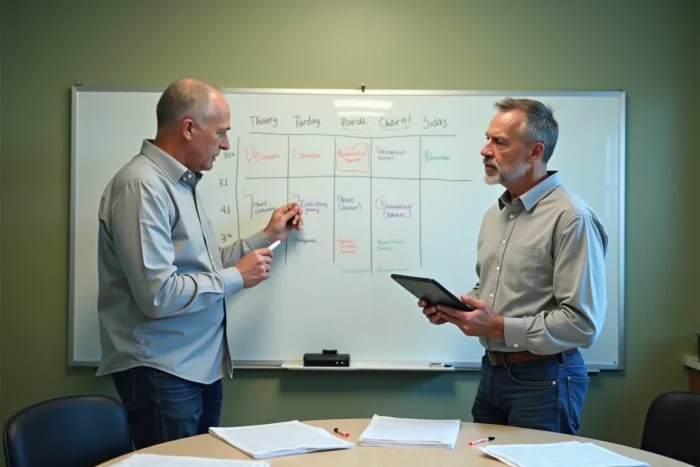
Week duplication is the most used function by sector managers to save time. It is also the primary source of documented errors in Philia.
The typical scenario: you duplicate the current week to prepare for the next. The original week contained a temporary replacement (a substitute worker assigned for two days). The duplication reproduces this replacement in the following week without alert. If no one manually purges this assignment, the substitute worker appears on the schedule even though they are no longer mobilized.
The consequences are cascading:
- The beneficiary receives an unplanned worker, or no one shows up if the substitute has not been informed
- The mobile time tracking of the primary worker conflicts with that of the substitute, generating discrepancies of more than thirty minutes between the schedule and the tracking
- The payroll includes phantom hours that must be corrected manually
The solution is a simple ritual: after each duplication, filter the interventions by type “replacement” and verify that each temporary assignment has been properly deleted or confirmed for the new period.
Continuous schedule updates and the obligation for a written monthly schedule
Several ADMR federations have adopted continuous schedule updates in Philia, with daily adjustments visible on the workers’ mobile application. This practice reduces reliance on paper schedules and streamlines communication.
It also creates a gap with a regulatory obligation: each employee must receive a written monthly schedule, communicated within a reasonable time before the start of the month. The digital schedule modified three times a week does not replace this document.
Reconciling the two approaches in Philia
The solution involves a two-step organization. The sector manager prepares a fixed monthly reference schedule and transmits it to the employee (by PDF export from Philia or by printing). This document serves as the contractual basis.
Subsequent modifications in the tool are tracked: Philia keeps a history of changes. For this traceability to be usable, each modification must be validated in the tool (and not simply saved as a draft). An unvalidated schedule in Philia does not appear in the history, complicating any retrospective verification.

Weekly checkpoints to ensure the reliability of the Philia schedule
Rather than checking the entire schedule at the end of the month (when corrections are difficult to trace), a targeted weekly check limits errors before they propagate.
Here are the checks to ritualize at the end of each week:
- Compare discrepancies between mobile tracking and the planned schedule: any discrepancy of more than thirty minutes signals an unupdated intervention or a missed tracking
- Filter the “replacement” type interventions for the following week and confirm or delete each temporary assignment
- Verify that each modified intervention has the status “validated” and not “draft,” to ensure its traceability in the history
- Check the addresses of the place of intervention for new services added during the week
This ritual takes a few minutes at the end of the week. It avoids massive corrections at the end of the month when payroll is already being processed.
Integrated messaging and communication with the workers
Philia includes a messaging feature that allows notifying workers of each schedule change. Activating this notification for any validated modification ensures that the worker consults the updated version on their mobile application. Without notification, the worker works with the last version they consulted, which may be several days old.
The combination of a written monthly schedule, validated updates in the tool, and systematic notifications forms the foundation of reliable schedule management in Philia ADMR. The most frequent errors (uncleared duplication, beneficiary/place confusion, unvalidated schedule) all share a common point: they can be corrected upstream through ritualized control, not downstream through payroll reprocessing.